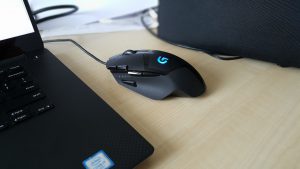
Ever got a backdoor installed on your computer by your beloved mouse? Here’s the
story of a poor mouse that got really, really sick.
Agent “Danger Mouse”
Do you remember the times where people put Teensy-boards and USB hubs in their
mouses? [Chris? ;)] Their aim was to attach an additional
Human Interface Device
(HID, like keyboards or mouses) with some payload in kind of e.g. keystrokes or
mouse movements. Also, there are devices available like the USB Rubber Ducky in
the housing of a USB thumb drive.
The principle is easy: The tools are using a programmable microcontroller with
the capability to emulate USB HID. That’s it. Just program your board of choice
with the payload fitting your needs and plug it in at the target computer. The
latter will recognize it as a keyboard/mouse and the payload-keystrokes will be
entered.
But why should external hardware be used? Many modern gaming peripherals provide
functions to store macros on them, including enough onboard memory for little
payloads.
At times with many many digitally transmittable diseases, protection might be
more important than ever. When connecting your smartphone to a rogue charger, or
a foreign smartphone to your own laptop, you never now what will happen. You
never know what data crosses the lines. But there is help: A USB condom!
As the
Troopers 16 Badge
was a neat integrated device, we had the challenge to identify something to be
soldered for our attendees. The past has shown, that soldering rocks and all of
our attendees, all of you, really enjoy it! After some looking around and
roaming the Internet, we decided to go for a simple device, which would protect
you and your devices in a hostile world. A slim PCB, which will protect your
phone when having to connect it to some unknown charger or for situations when
“a mate” just wants to connect his/her phone to your laptop for “charging
purposes”.
So we got these shiny new BlackBerry Q10 and Z10 device laying on the desk one
morning. It’s my first BlackBerry, I have to admit, but never the less, the hole
wushy GUI and touchy glass stuff wasn’t my main concern, instead i
took a look at the stuff
going on while you connect the phone (do i have to call it blackberry? its a
phone, isn’t it?) to your computer.